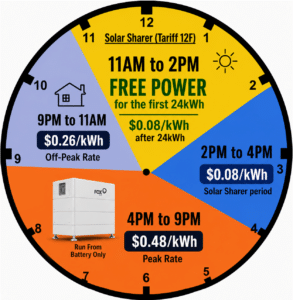
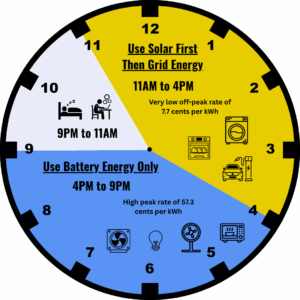
Now that you have your solar system and battery installed, you might be wondering how to change to Ergon’s Solar Soaker Time-Of-Use Tariff 12(E) to maximise your savings.
Follow our guide below to make the change yourself online! Simply use your Ergon Energy Login to request the tariff 12(E) switch, and use the Hinen mobile app to also set the force charge as shown in this tutorial.
Step 1:
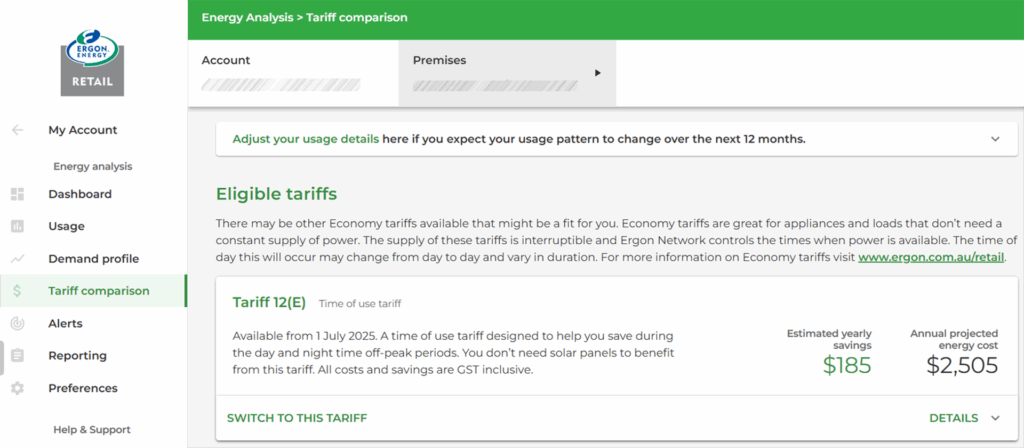
Log into your Ergon Energy Portal and click on Tariff comparison.

Step 2:
Scroll down to find Tariff 12(E) and click on SWITCH TO THIS TARIFF.
Step 3:
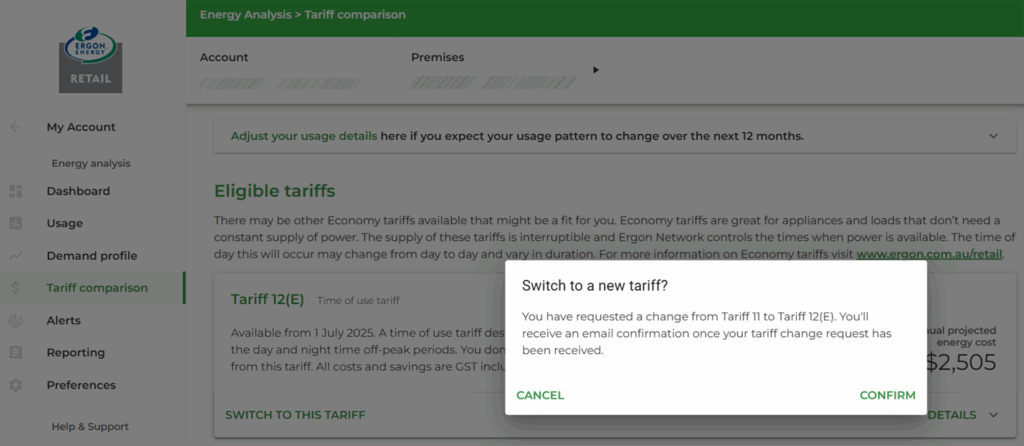
CONFIRM the switch.
Step 4:
Click on OK, GOT IT to acknowledge the change.
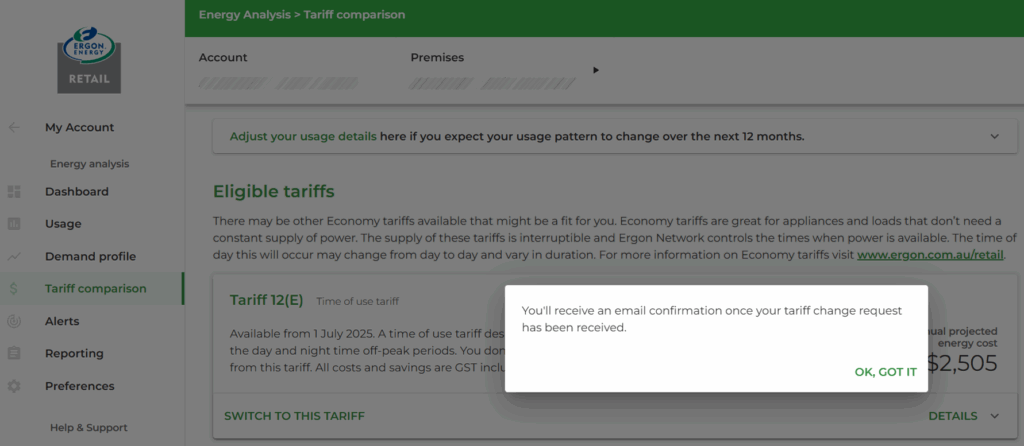
Step 5:
You will receive an email from Ergon within a few minutes to confirm that they have received the tariff change request.
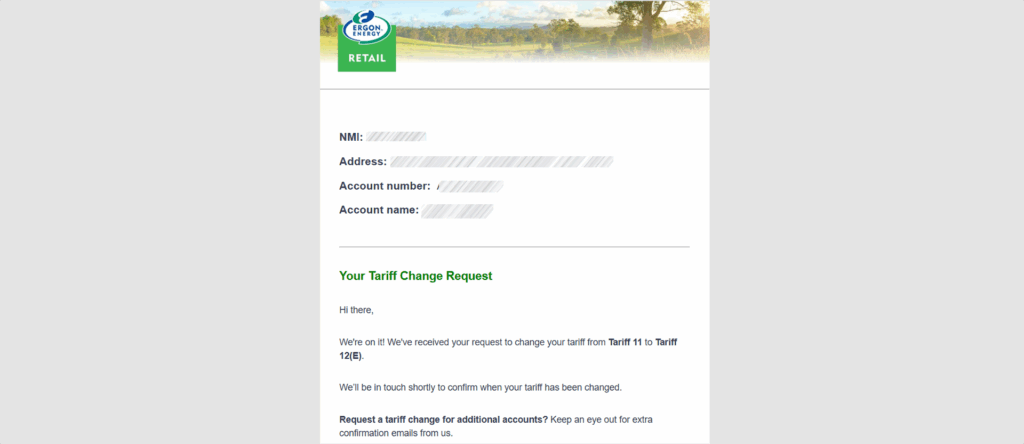
Step 6:
Within 1 to 2 business days you should receive an email to confirm that the change to Tariff 12(E) was successful.
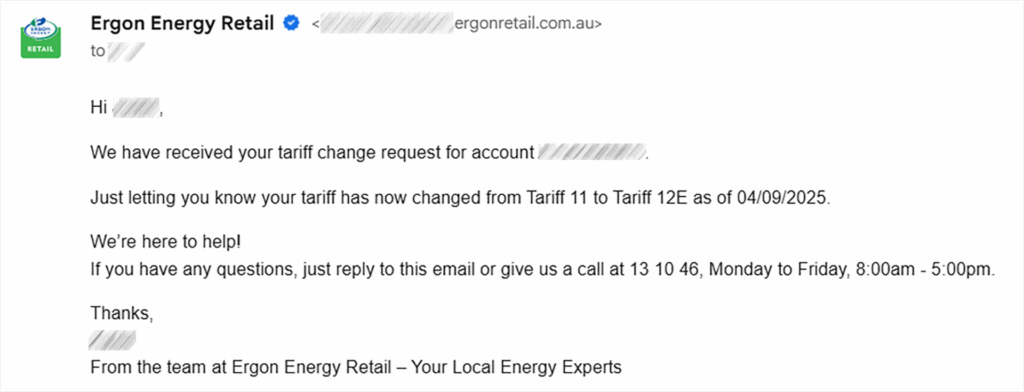
Step 7:
Follow this guide to set your Hinen battery to force charge between 11AM and 4PM to make sure it is full to maximise your savings, and for backup purposes. This is especially useful to top up the battery at the cheapest rate on cloudy days and to make sure the battery is full in the event of a thunderstorm or cyclone.
#beprepared #cycloneseason #stormseason

Founder of Horan & Bird. Director of Master Electricians Australia and Board Member of Solar Accreditation Australia. John has played a key entrepreneurial role in the transformation of the Energy Landscape in Queensland.